3g. Playing in parties
3f1. Party Finder
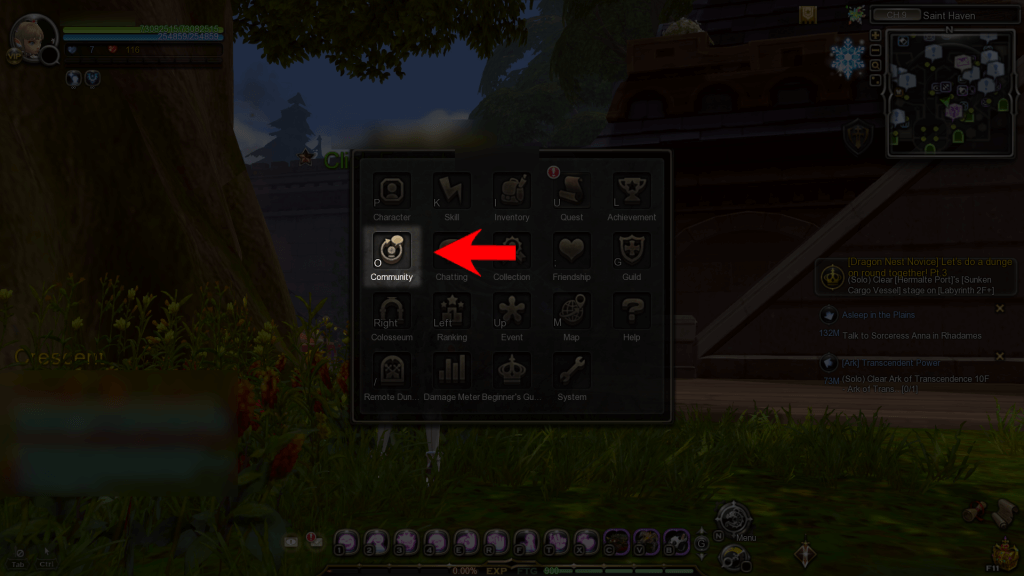
If you’re looking to play with others, a good place to start is the Party Finder. Press O to open the Community menu, or find it in the Main Menu. The Party tab is where the Party Finder is.

If you see “CPT” or “check PT” or “cek PT” in the World Chat, they’re asking you to find their party in the Party Finder if you want to join. Type a keyword in the Search bar (the name of the dungeon or nest in full or abbreviations, LB level, etc.) to look for a party you need. Double click on a party to preview its member list and join it.
Creating your own party
You can also create your own party if none exists for the content you’re looking for.


This option is known coloquially as World Zone recruit or just Zone.
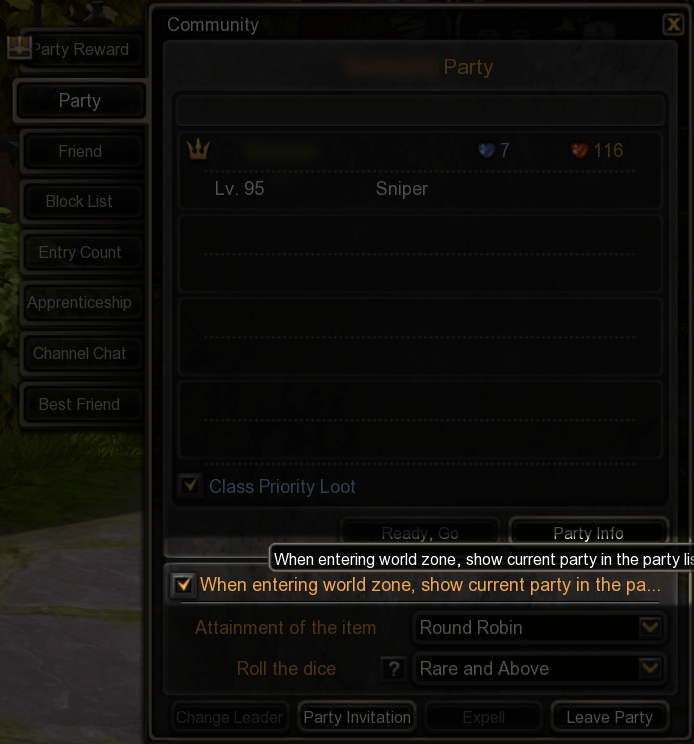
Checking this will make sure your party appears in the Party Finder even when you’ve moved to a Field. This will allow new joins to warp directly to the Field you’re in and save them 1 loading screen. They can return to the Town they were in if they leave the party, or warp the whole party to that Town if they are the party leader.
(For example, when Typhoon Kim Nest comes up on the nest train, the party will be disbanded and one player will move from Saint Haven to Calderock to create a new party, then move to Gray Ruins. From there, they will invite the party back, and pass the party leader role to someone else. When the new party leader return to Town after clearing the nest, the whole party will be back at Saint Haven.)
3f2. Party related terms
Here’s some common terms and abbreviations used in naming a party or World Chat recruits. To see all common abbreviations, check out this link provided by the DN subreddit.
- N> stands for Need, and they will usually list a class or job (DPS/Healer) or STG clear rank (with floor number or the title associated with it). N>Any means anyone can join regardless of their class, job or gear.
- F[number] or LB[number] all refer to the Labyrinth level. It’s also common to just use the number. Any is the baseline level for all contents in DN.
- S> means the party leader is selling a carrying service in exchange for gold, and you shouldn’t join if you don’t intend on paying. Note here that taking payment means they should be able to comfortably and quickly clear the content with minimum contribution from any paying member.
- B> means the party leader wants to buy a carrying service.
- SVC stands for service. Similar to S> and B>.
- LFP> means Looking For Party and LFM> means Looking For Member (for when the party is recruiting specific members). These are common MMO shouts to gather random players (as opposed to ones you know) to clear a specific content, and are supposedly separate from carrying services. (A possible exception is endgame raid nests, which need a group of carriers to clear rather than just one.)
- “Self carry” means everybody pulls their own weight, no carry is guaranteed.
Important note: trading gold for carry services is activity carried out entirely by players, with no guaranteed oversight or moderation from Game Masters and developers. You can report players for scamming (right click IGN in chat or list > Block) but that’s as far as the game itself will assist you. Participate at your own risk and with caution. Please know that paying gold is not the only approach to content, regardless of difficulty.
3f3. Chat macros
Chat macros are prewritten chat messages meant for quick communication, activated by F1~6. They are voiced and appear in the chat bubble as a special icon. Check macro details by pressing Esc > Game settings > Macros.

Sometimes players can communicate differently from the intended meanings of these macros. For example, someone might use F1 (Recovery Request) to remind partymates to heal up or use a party buff, or use F4 (Back) to remind others to move to the portal.
There are also 4 slots for you to define your own chat macros, found in Macro Settings.

These chat messages have no voice acting or icon in the chat bubble, and can be activated by F7~10. You can edit or remove these macros to your liking. Most players use these macros to thank their partymates at the end of the final run.
3f4. Misc. player interactions
Clicking a player’s model will bring up an interaction menu. Right clicking an IGN in the chat or Community menu will bring up a smaller interaction menu.
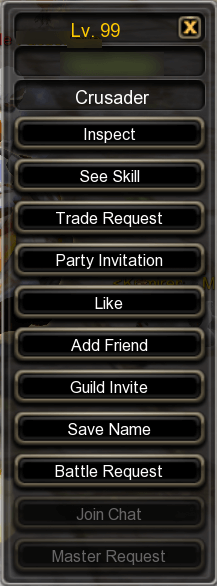

(The “Save Name” option will save the player’s IGN to your clipboard.)
Players that recently entered a dungeon/nest/etc. with you will show up in Recent Play list. Note that being in the same party is not enough, you need to have entered something together.

You can add players to your Friend list from various places, from the aforementioned interaction menu, from Recent Play list, manually entering their IGN from the Add Friend option, etc. A Friend Request will be sent to the other player in real-time and they need to be online to respond.
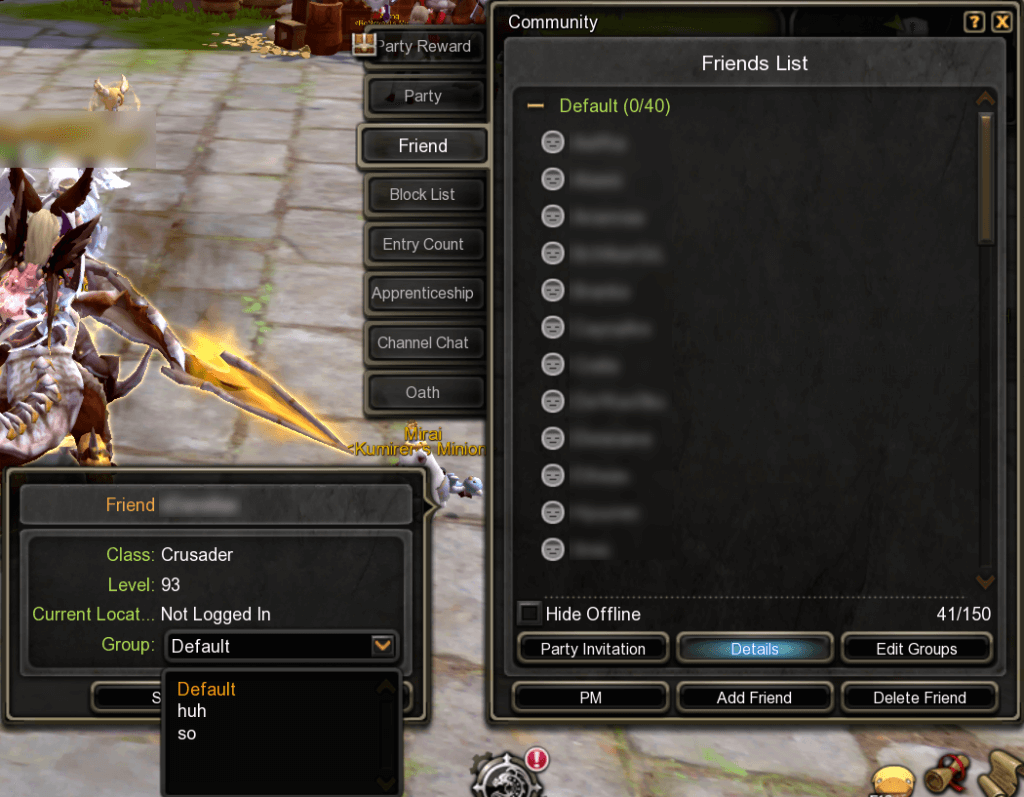
You can also organize your Friend list into groups.
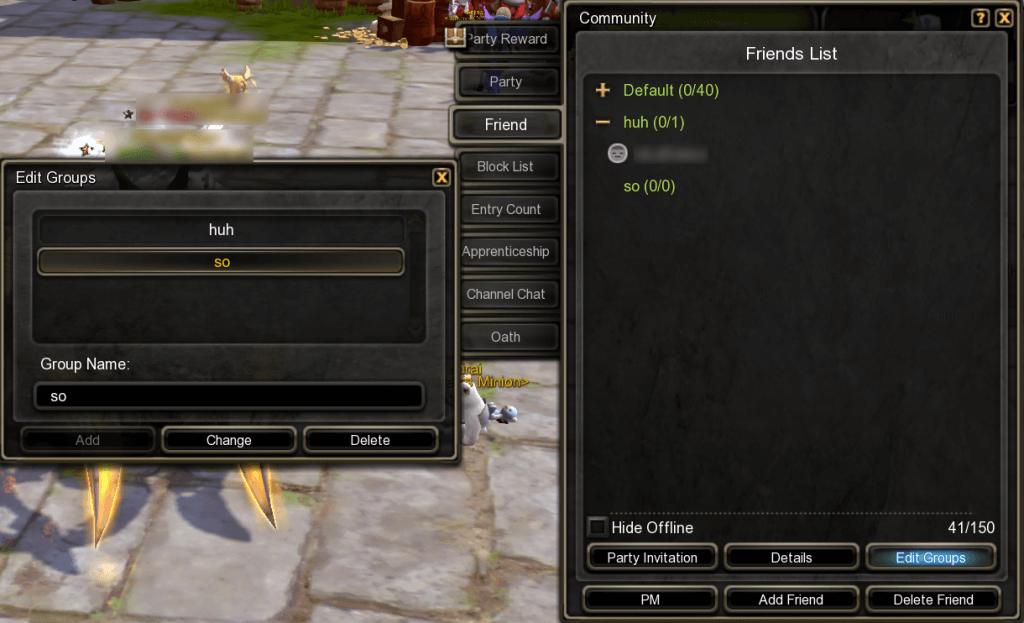
You can block players from the same places as adding friends (except the in-person menu). This will prevent them from interacting or being visible to you in any way, including anything they might send in the World Chat. You can also enter a reason, but I’m unaware if this actually sends any kind of report.

Blocked players will be saved in the Block list. Hovering over the icon will show you the reason you chose for blocking.
